
Sautibet Kenya app for Android and iOS
Place bets on football, play Aviator and access live casino from your phone — the Sautibet Kenya mobile app runs on Android 6.0+ and iOS 13+. No browser tabs, no reloading. Your KES balance and open bets are right there on the home screen.
Get the App Now

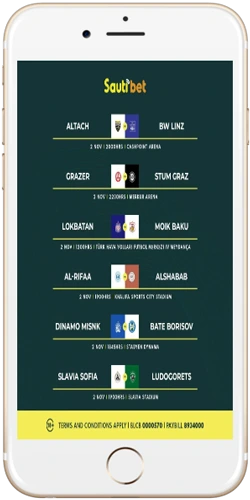
What the Sautibet Kenya app gives you
The app is a direct mirror of the full sautibet-kenya.com platform, not a stripped-down version. Sports betting, Aviator crash game, slots, live dealer tables — all present. M-Pesa deposits go through in under 2 minutes from inside the app, same as on desktop. Withdrawals to your Safaricom number process in 4–6 hours.
The interface scales cleanly to smaller screens. Nairobi players on mid-range Android devices — the kind of hardware that handles most of Kenya's mobile traffic — report smooth load times on both 4G and reliable 3G. The app does not require a VPN and works across all Kenyan mobile carriers: Safaricom, Airtel Kenya, and Telkom Kenya.
Push notifications are optional. You can enable match start alerts, goal updates for live bets, and withdrawal confirmations. Turn them off anytime in app settings — no impact on account functionality.
App features worth knowing
Fast deposits
M-Pesa, T-Kash and Equitel Money deposits process in under 3 minutes directly inside the app.
Live betting
In-play odds update in real time. Cashout button appears on active bets — tap once to lock profit.
Full casino access
Aviator, Spaceman, Lightning Roulette and 200+ slots load without separate downloads or plug-ins.
Push notifications
Optional alerts for match kick-offs, live score updates, and confirmed withdrawals to M-Pesa.
Secure login
Biometric login (fingerprint or Face ID) supported on compatible Android and iOS devices.
Bet history
Full transaction and bet history available — filter by sport, date range, or settlement status.
How to install the app on Android and iOS
Android installation
- Open sautibet-kenya.com in Chrome on your Android device.
- Tap the download banner or go to the App page directly.
- Tap Download APK — the file is roughly 18 MB.
- If prompted, go to Settings → Security → enable Install from unknown sources for Chrome.
- Open the downloaded APK file and tap Install.
- Launch the app, log in with your phone number and password.
iOS installation
- Open sautibet-kenya.com in Safari on your iPhone or iPad.
- Tap the App page link and follow the iOS download prompt.
- If a profile installation screen appears, go to Settings → General → VPN & Device Management → trust the profile.
- Launch the Sautibet Kenya app from your home screen and sign in.
Both versions require an active internet connection for the initial setup. After install, the app uses roughly 45 MB of storage. Updates happen automatically when connected to Wi-Fi.
Install the AppSystem requirements and compatibility
Android
- Android 6.0 (Marshmallow) or higher
- Minimum 1 GB RAM
- 18 MB free storage
- Internet: 3G, 4G, or Wi-Fi
- Supported: Samsung, Tecno, Infinix, Itel
iOS
- iOS 13 or higher
- iPhone 6s and newer
- iPad (5th generation and newer)
- Internet: 3G, 4G, 5G, or Wi-Fi
- Supported: all modern iPhone and iPad models
Tecno Spark, Infinix Hot and Samsung Galaxy A-series phones are among the most widely used Android devices in Kenya — all run the app without issues on Android 8.0+.
Payments inside the Sautibet Kenya app
Every payment method available on the desktop site works identically inside the app. M-Pesa is the default for most Kenyan users — you enter your Safaricom number, confirm via MPESA PIN, and the KES balance updates within 2 minutes. No need to leave the app or open a separate browser window.
T-Kash users on Telkom Kenya and Equitel Money users on Equity Bank follow the same flow. Visa and Mastercard deposits process instantly. Tether (USDT) deposits settle in under 30 minutes for players who prefer crypto. The minimum deposit from inside the app is KES 50 — same as on desktop, no additional mobile fees.
Deposit via M-Pesa in the App